Platform — findy Lab
The findy IoT Platform
Your device's data, matched by ID and shown in a UI that's generated from your own config — no dashboard building required.
How it works
findy Lab is built on three layers that work together:
IP67 devices with defined IO — Logger Pro, IoT Module, and more. Real inputs, outputs and connectivity, not a dev board.
Your own logic, written in MicroPython, calling modem.turnOn(), findyIoT.connect(), sensor.measure(), findyIoT.report([ids]).
Measurements, Settings, Commands and System — a UI that's auto-generated from the config file you define, not hand-built per project.
from findylab import modem, findyIoT, sensor

modem.turnOn()
findyIoT.connect()

temp = sensor.measure('rs485', address=1)
if temp < 10:
    findyIoT.report([223, 231])
prepareSleep(3600)
IDs 223 and 231 are matched to the fields you defined on the platform and shown under Measurements.
Setting up a device
- Create a version for your project on iot.findyiot.com.
- Define Measurements, Settings and Commands — or pick from the built-in system list (no extra code needed for Reboot, LTE RSSI, battery, uptime).
- Download the resulting config file and load it onto the device — over the air (OTA) or via the debug cable.
- Every parameter has an ID.
findyIoT.report([223, 231, 213])sends them in order; the platform matches each ID to the field you defined and updates the UI.
What the platform gives you
Sensor data matched by ID, shown live — the fields you defined, nothing generic.
Device parameters you define per project, editable from the platform.
Remote actions you trigger from the platform back to the device.
Reboot, LTE RSSI, battery and uptime — built in, no extra code.
The interface is built straight from your config file — no dashboard design work.
Push new firmware to deployed devices remotely, without physical access.
Platform & Connectivity
- Global SIM (LTE / NB-IoT)
- findy IoT Platform access
- OTA firmware updates
- Support
First 30 days free with hardware purchase
Global SIM coverage
One findy SIM, active across 196 countries. Coverage shown below is combined across our roaming network — the device always connects to the best available option automatically.
196 countries with any findy connectivity.
Hover or tap a country to see supported technologies.
Coverage is aggregated at country level from our connectivity partner’s roaming agreements. Individual network operator names are not published here — contact us for the full technical reachlist.
Managing your devices
Everything below comes with the platform — no extra setup, no separate tools to wire together.
Organize devices, manage in bulk
Group devices logically — by client, by site, by deployment phase — and manage them together instead of one by one. Associate a firmware build with an entire group so every device in it gets the same OTA offer, run bulk actions across a whole group at once, and delegate a group to a Group Admin who manages only its devices — status, configuration, OTA — without full account access. A device can sit in more than one group, and clients can create their own groups to organize the devices assigned to them.
A dashboard for every device, generated automatically
Nothing here is hand-built. Your account dashboard shows device counts, the online/offline split, active alarms, client count, and a live activity feed — an OTA update sent, a new client registered, new firmware uploaded — plus a personal task list. Each device also gets its own live status screen: firmware version, battery level, signal strength and carrier, pending commands, and its last known position — built straight from the Measurements you defined, not a fixed template. Clients see the same idea, scoped to only the devices assigned to them.
One SIM, tracked per device
Every device ships with a global SIM active across 196 countries (see coverage above). Its carrier and live status — active or inactive — show on the device's Passport, alongside its installation details, assigned groups and current firmware version. Connectivity becomes something you check per device, not something you dig for in a separate SIM portal.
Version, push, and watch it happen live
Firmware Manager holds every .mpy build you upload, each tagged to the device version it targets. Mark one build “latest” and it becomes the default OTA offer for that version; push it to a single device or an entire group at once. Devices running anything other than the latest build are flagged automatically. Need to see what's actually happening on the hardware? A built-in Serial Monitor gives you a live log over USB — boot sequence, sensor reads, report status — plus a command line to send debug commands directly, no separate tool required.
Support that stays attached to the device
Tickets open from the device they're about and carry its IMEI automatically — no re-explaining which device you mean. Clients open tickets straight to their developer; developers escalate to findy when they need to. Each ticket is a threaded conversation with a status (open, in progress, closed) and a priority, not an email thread you have to dig up.
Built for how you actually work with hardware
The platform is multi-tenant, with four access levels:
Full account access: your devices, clients, firmware, DataTypes and integrations.
A teammate or partner you delegate specific device groups to — status, configuration and OTA there, nothing else.
Your end customer, scoped to their own devices. Activates new ones by scanning a QR code (or bulk-importing serials from Excel) and opens support tickets straight to you.
findy's own role — provisions new hardware batches and supports you directly.
See it in action
Real screens from the findy IoT Platform — not mockup illustrations.
The interface is currently in Bulgarian; English localization is planned.
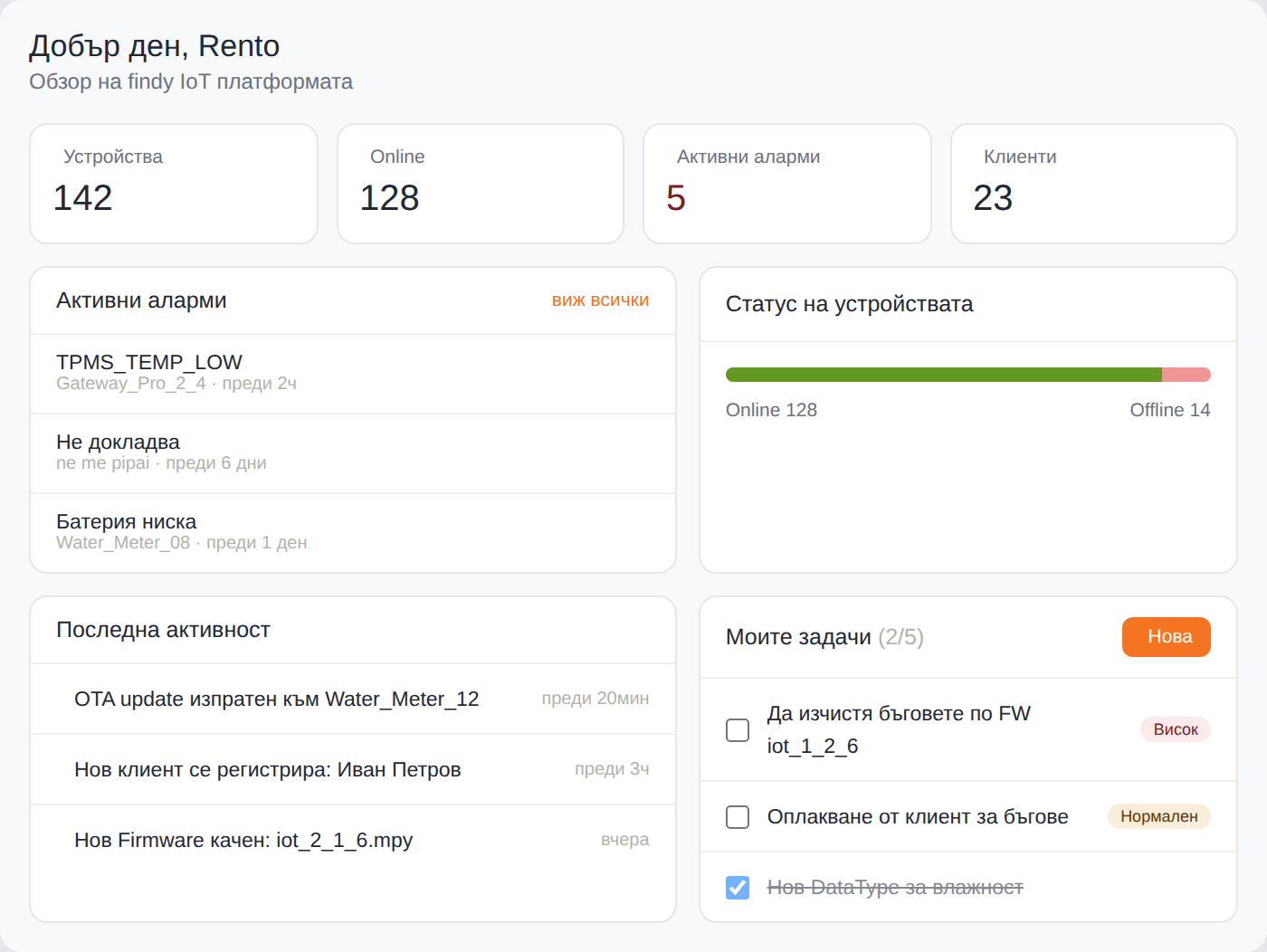
Device counts, online/offline split, active alarms and a live activity feed — generated automatically.
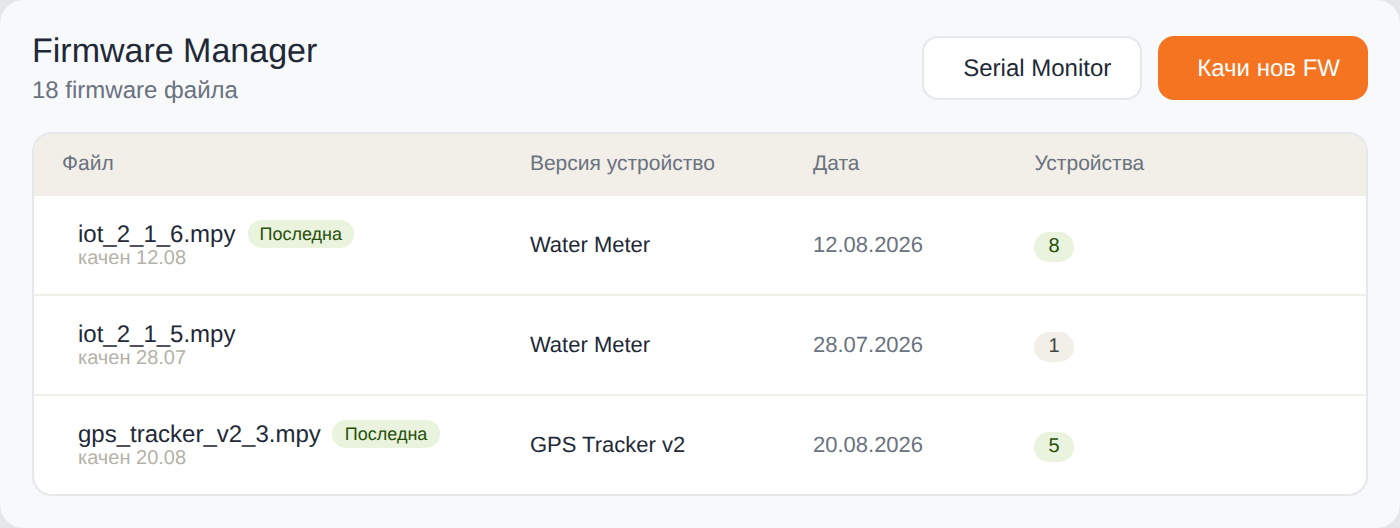
Every .mpy build, tagged to its device version, with the current OTA default marked “latest”.
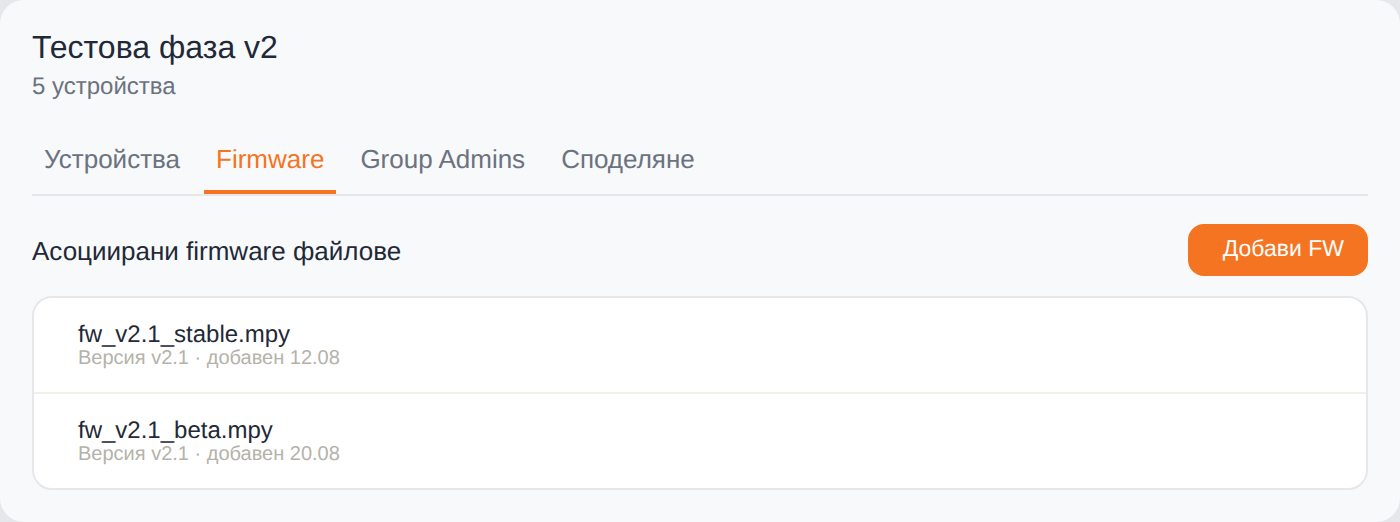
Associate a build with an entire device group instead of pushing it one device at a time.
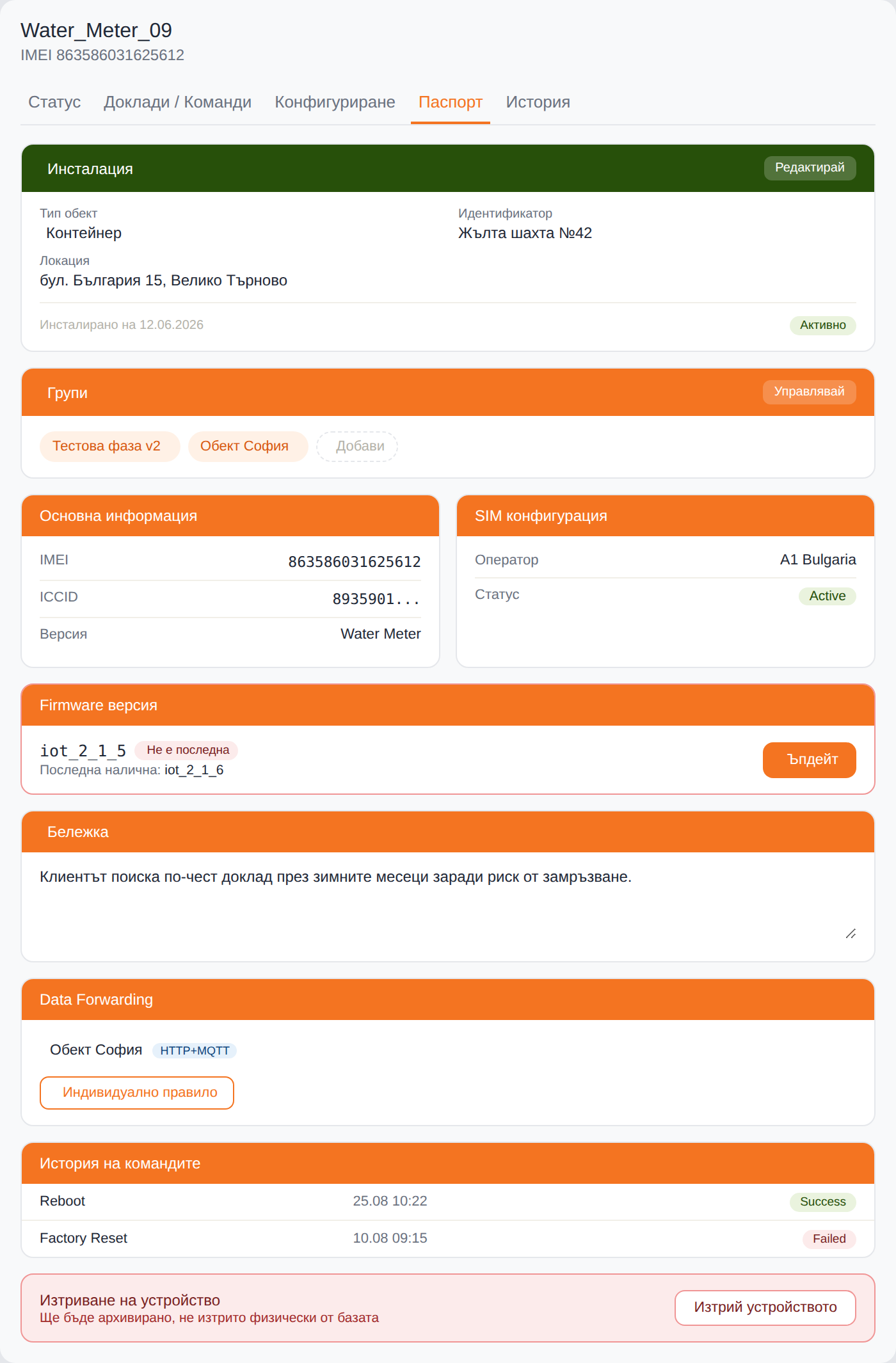
Installation, groups, SIM carrier & status, and firmware version — all in one place per device.
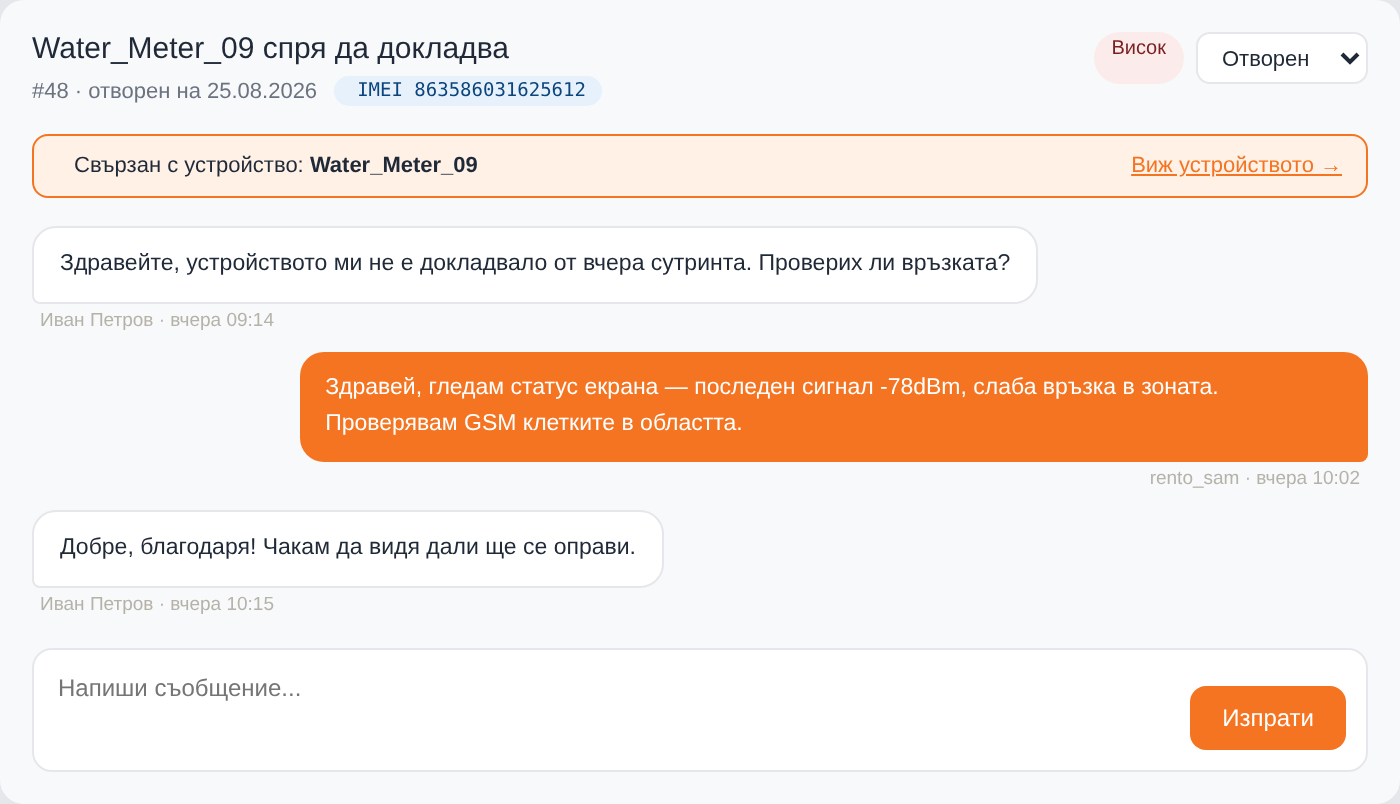
A ticket opened from a device carries its IMEI automatically — no re-explaining which one you mean.
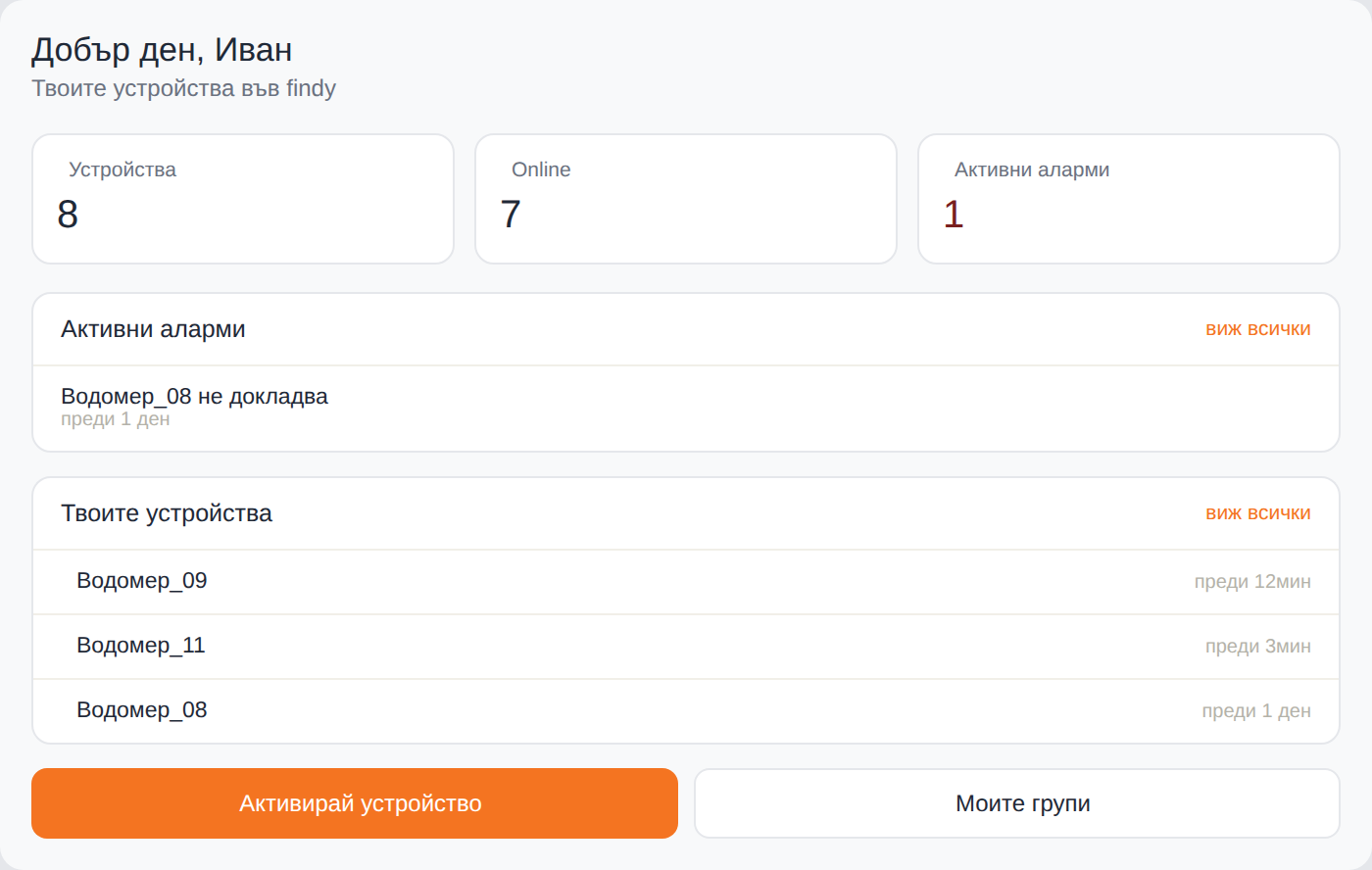
The same idea, simplified — scoped to only the devices assigned to that client.
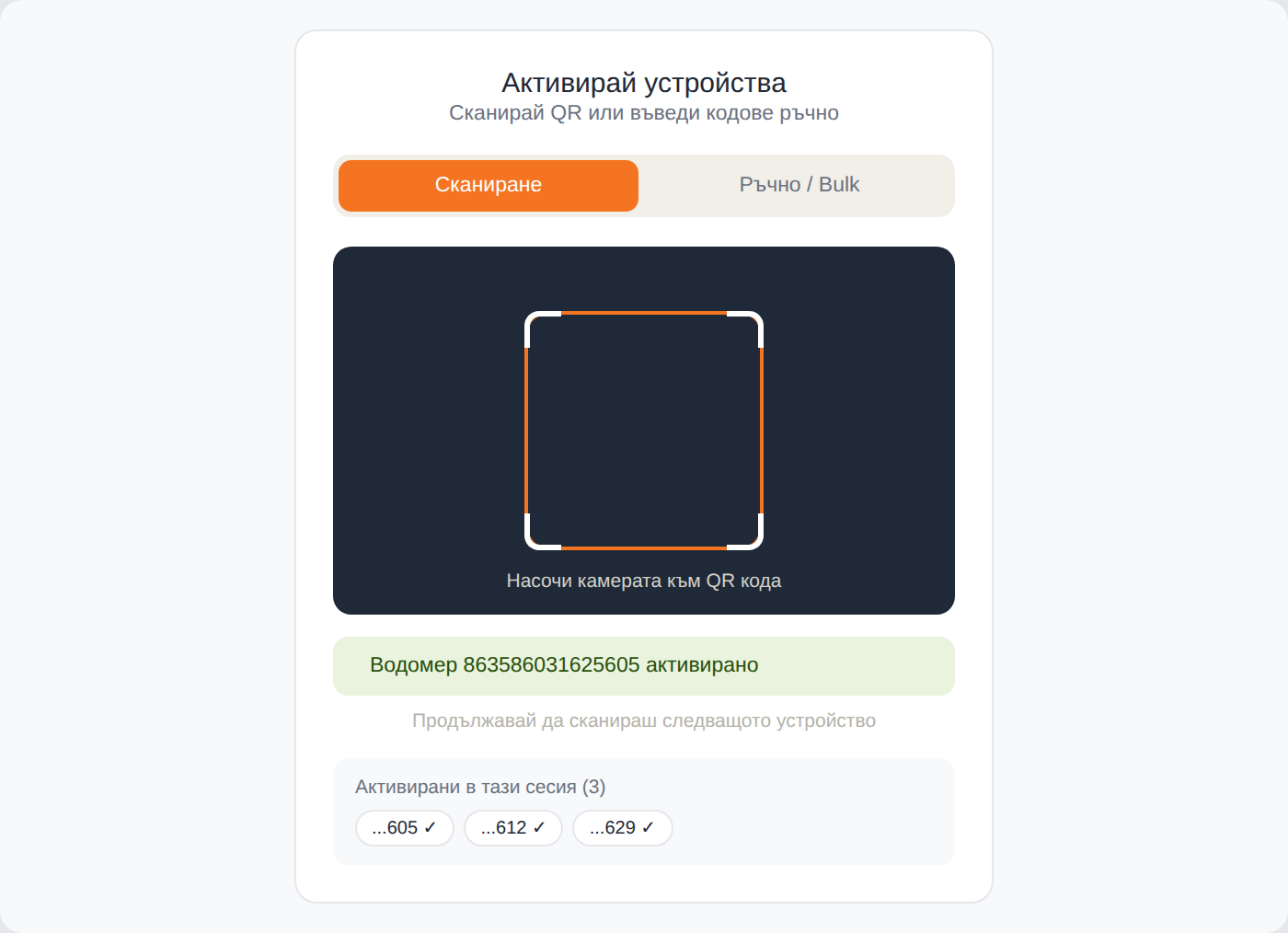
A client scans a QR code (or bulk-imports serials from Excel) to bring a device into their own account.